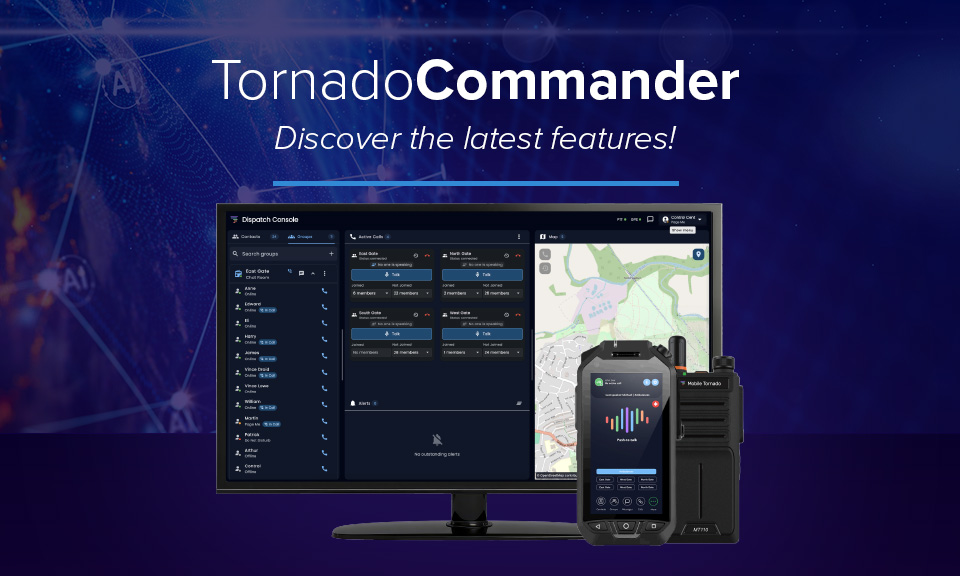
This isn’t a patch note. It’s a different PoC dispatch console.
TornadoCommander, Mobile Tornado’s push-to-talk over cellular (PoC) dispatch console, has just shipped its biggest release since launch. Eight new capabilities have been added, grouped around what they actually change for a control room, and for the reseller partners who sell TornadoCommander into transport, logistics, security, construction, and public safety accounts.
Who this update is for: resellers with existing TornadoCommander customers who are due an upgrade conversation, and resellers pitching a PoC dispatch console against traditional two-way radio, Motorola MOTOTRBO consoles, or consumer PTT apps like Zello, where live location tracking, remote device management, and built-in lone worker protection aren’t standard.
What’s new, grouped by what it does for a control room
See more: live location and mapping

- One-to-one live location tracking for any individual user, not just group-level visibility.
- Geofencing – dispatchers define a boundary and get an instant alert the moment someone crosses it, without needing to actively watch a map.
- Google Maps built in, with support for custom map overlays and third-party map layers, so control rooms can work from the mapping data most relevant to their site or operation.
Together, these give dispatchers the kind of individual-level, real-time visibility that most PoC dispatch consoles only offer at the group or fleet level.
Hear and prove: voice recording and playback
- Voice recording and playback, captured and replayed directly inside the dispatcher, no separate recording platform required.
This matters for any customer operating under compliance requirements, safety audits, or incident-review processes, where being able to replay exactly what was said and when is often a hard requirement rather than a nice-to-have.
Control the fleet: remote device management
- Remote device management – dispatchers can set app volume, block push-to-talk, or sign a user out of a device, all remotely, without physical access to the handset.
- Remote camera access – dispatchers can see through a device’s camera without anyone touching it, giving instant situational awareness during an incident.
For fleet and workforce managers, this turns TornadoCommander’s PoC dispatch console into a control point for the devices themselves, not just the communications running over them.
Protect your people: Lone Worker
- Lone Worker protection, now fully configurable and assignable directly from within the dispatcher, no separate app or system to manage lone worker safety alongside day-to-day communications.
This closes a gap that previously meant lone worker safety and day-to-day dispatch operations lived in two different places. Now they sit in one PoC dispatch console.
Why this matters more than a typical update
Most PoC dispatch console updates are incremental, a UI tweak, a bug fix, a minor setting. This release adds eight genuinely new, independently sellable capabilities across four different buying reasons: visibility, accountability, fleet control, and worker safety. That gives resellers four separate conversations to open with a single existing customer, not one.
It also sharpens how TornadoCommander’s PoC dispatch console compares to the alternatives customers are typically evaluating alongside it:
- Against traditional two-way radio and LMR systems, TornadoCommander now adds individual live location tracking, geofencing, and remote device management, capabilities LMR simply doesn’t have.
- Against consumer-grade PTT apps built for simple team messaging, TornadoCommander adds recording, remote camera access, and built-in lone worker protection, features aimed at operational accountability, not just communication.
- Against other PoC dispatch consoles, having location tracking, device control, and lone worker safety unified in one dispatcher, rather than bolted on through third-party integrations, is a meaningfully different proposition.
What customers are saying
“Mobile Tornado’s world-leading technologies will help us to manage operations and achieve our ambitions. We are delighted to be working with Mobile Tornado, a local company with world-leading technology.” — Damian Ives, Chief Operating Officer, Leeds Bradford Airport
Common questions
What’s new in the latest TornadoCommander release? Eight new features: one-to-one live location tracking, geofencing, built-in Google Maps with custom and third-party overlay support, voice recording and playback, remote device management (volume, PTT blocking, remote sign-out), remote camera access, and fully configurable Lone Worker protection.
Is this update included for existing TornadoCommander customers? Existing TornadoCommander customers get access to the updated PoC dispatch console; resellers should confirm rollout timing and any plan-tier requirements with the Mobile Tornado team before pitching to their own customers.
How does TornadoCommander compare to other PTT dispatch consoles, like Zello or Motorola MOTOTRBO? Unlike consumer PTT apps such as Zello, TornadoCommander is built as a full dispatch console with individual live location tracking, geofencing, remote device management, and built-in lone worker protection in one platform. Compared to traditional LMR-based consoles like Motorola MOTOTRBO, TornadoCommander runs over standard cellular and Wi-Fi networks rather than requiring dedicated radio infrastructure, while still delivering call recording, fleet-wide device control, and safety features from a single web-based or Windows dispatcher.
Where can resellers get more detail on each feature? Mobile Tornado will publish deeper walkthroughs on the PoC dispatch console over the coming weeks, starting with location tracking and mapping. Resellers can also book a 15-minute walkthrough to see all eight features live.
Book a walkthrough
Resellers can book a 15-minute walkthrough to see all eight new TornadoCommander features live, and get talking points ready for customer upgrade conversations. Request a demo.
